space simulator: minimal
A downloadable game for Windows, macOS, and Linux
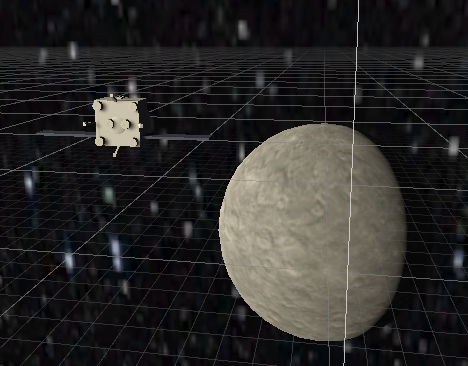
a minimal space game
minimum system requirements
OS:
- Windows: Windows 7 / 8.1 / 10 / 11 (64-bit)
- macOS: macOS 10.13 (High Sierra) or newer
- Linux: Ubuntu 18.04 LTS or equivalent (64-bit)
Processor (CPU): Dual-Core 2.0 GHz Processor (Intel Core2 Duo / AMD Athlon II X2 or equivalent)
Memory (RAM): 2 GB RAM
Graphics (GPU): Integrated graphics supporting DirectX 10 / OpenGL 3.2 / Metal (Intel HD Graphics 4000, AMD Radeon HD 6450, or equivalent)
Storage: 150 MB available space (Seamless scene transitions run directly from drive memory)
recommended system sequirements
OS:
- Windows: Windows 10 / 11 (64-bit)
- macOS: macOS 11 (Big Sur) or newer (Apple Silicon M1 / Intel)
- Linux: Ubuntu 20.04 LTS or newer (64-bit)
Processor (CPU): Quad-Core 2.5 GHz Processor (Intel Core i3-4130 / AMD FX-4300 or equivalent)
Memory (RAM): 4 GB RAM
Graphics (GPU): Dedicated Graphics Card with 1 GB VRAM supporting DirectX 11 / OpenGL 4.1 / Metal (NVIDIA GeForce GTX 650 / AMD Radeon HD 7750 or equivalent)
Storage: 200 MB available space (SSD recommended for instant scene switches)
Download
Install instructions
💻 Windows Setup (Native)
- Download
spacesim.zip. - Right-click the
.zipfile and select Extract All... to unzip it. - Open the extracted folder and double-click
rocket game.exeto start playing.
Important: Keeprocket game.exein the same directory asrocket game_Data,MonoBleedingEdge, andUnityPlayer.dll.
🍎 macOS Setup (Using Whisky or CrossOver)
Since a native Mac build is not available yet, you can run the Windows executable using a compatibility layer like Whisky (free) or CrossOver:
- Download
spacesim.zipand extract the folder. - Open Whisky (or CrossOver).
- Create a new Bottle (set the type to Windows 10 64-bit).
- Click Run... or select Execute Program.
- Navigate to the extracted folder and select
rocket game.exe.
🐧 Linux Setup (Using Wine or Bottles)
Linux users can run the Windows .exe using Wine or Bottles:
Option A: Using Bottles (Graphical UI)
- Download
spacesim.zipand extract it. - Open Bottles and create a new bottle set to Gaming.
- Click Run Executable, locate the extracted folder, and choose
rocket game.exe.
Option B: Using Terminal & Wine
- Open terminal in the extracted folder.
- Run the game using Wine:
Bashwine "rocket game.exe"
Leave a comment
Log in with itch.io to leave a comment.